Game comparison
Google Snake vs Classic Snake: Modes, Controls and Differences
One turns a single enduring rule set into a customizable browser playground. The other made mobile gaming feel inevitable on a tiny monochrome screen.
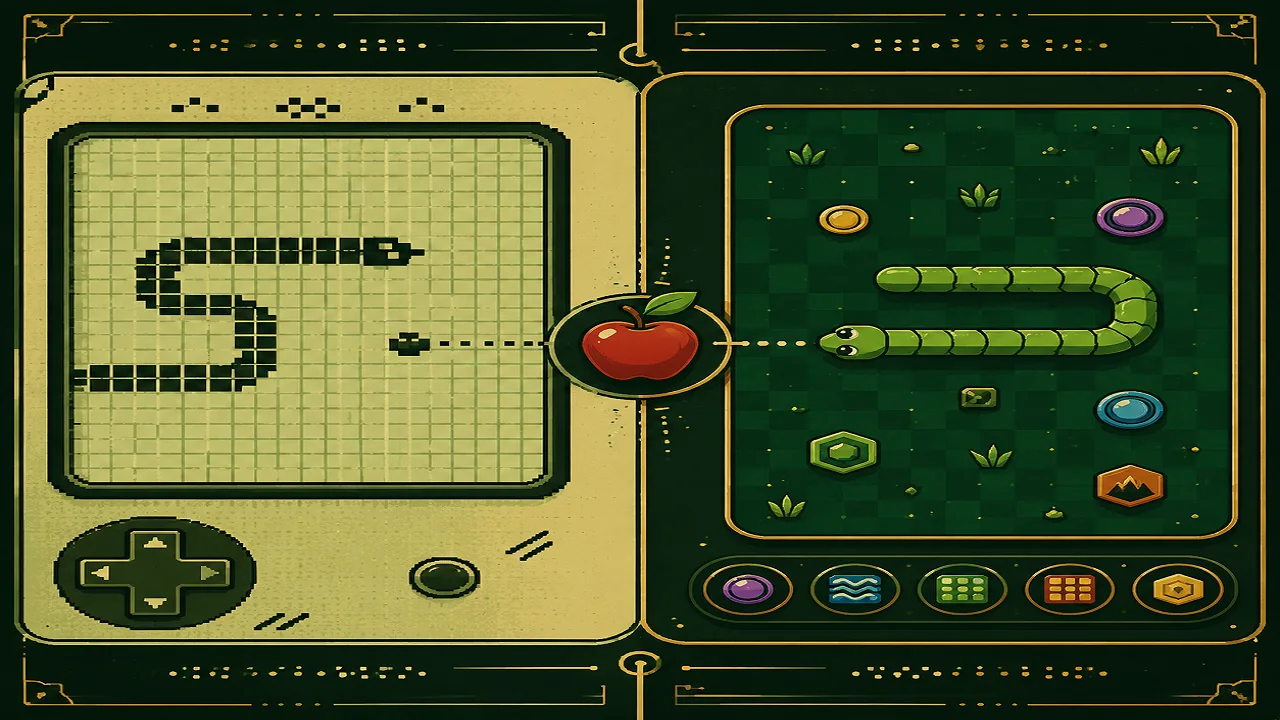
Google Snake and Classic Snake share the same irresistible loop: steer, collect food, grow longer, and avoid a fatal collision. They do not, however, offer the same kind of play. Google's current browser game expands that loop with settings, visual choices, and challenges. Classic Snake is the compact 1997 Nokia 6110 version developed by Taneli Armanto, designed around a small screen, a keypad, and severe hardware limits.
Key takeaways
- Classic Snake here means Armanto's Nokia 6110 game from 1997, not every early trail or worm game in the wider genre.
- The current official Google browser Snake is separate from Google's Chinese New Year Doodle launched on February 10, 2013.
- Google's game adds categories for food, mode, food count, speed, board size, snake color, theme, graphics style, and trophies or challenges.
- Classic Snake is better for an austere score chase; Google Snake is better for variety, personalization, and quick browser access.
What “Classic Snake” means
Snake-like games predate Nokia, but the version that fixed Snake in popular memory arrived with the Nokia 6110. Armanto built it after joining Nokia in 1995 and working within narrow limits: little programming memory, a tiny monochrome display, and only a few usable keys. The 6110 debuted in 1997, and Nokia began selling it with Snake installed around the start of 1998.
Its rules are spare. The snake moves continuously, food increases its length and score, and contact with the boundary or its own body ends the run. Speed levels change the pressure, but there is no loadout of cosmetic options or alternate objectives. Armanto even added a tiny last-moment input allowance near an edge to make high-speed turns feel demanding rather than arbitrary.
That constrained design is the subject of our broader history of the Snake game. It is also preserved as a design object: the Museum of Modern Art lists Nokia's Snake among its collection of video games. If the focused version is what you want, you can play Classic Snake without sorting through modifiers first.
Which Google Snake are we comparing?
The comparison is with Google's current official browser Snake, available from Google's hosted game page and commonly surfaced through Search. It should not be confused with the interactive Chinese New Year Doodle dated February 10, 2013. That earlier Doodle was a separate Lunar New Year production with its own presentation and cultural setting; it is historical Google Doodle content, not merely an old skin for today's configurable game.
The live browser game keeps the recognizable eat-and-grow foundation but exposes a much wider setup menu. Its current categories cover food, mode, food count, speed, board size, snake color, theme, graphics style, and trophies or challenges. Exact choices and interface details can change as Google updates the hosted game, so those categories are more reliable than treating any one option list as permanent.
You can open our Google Snake overview for a quick introduction or go directly to the Google Snake game page when you are ready to play.
Google Snake vs Classic Snake at a glance
| Feature | Google Snake | Classic Snake |
|---|---|---|
| Platform | Modern web browser | Nokia 6110 mobile phone |
| Core goal | Eat, grow, survive; modifiers may alter the run | Eat, grow, survive, and maximize score |
| Configuration | Multiple gameplay and appearance categories | Primarily speed and straightforward play |
| Presentation | Colorful themes and selectable graphics styles | Monochrome pixels designed for a small display |
| Progress hooks | Trophies and challenges provide extra targets | The score and personal mastery are the targets |
| Best quality | Variety and approachable experimentation | Clarity, tension, and historical simplicity |
Modes, modifiers, and an important caveat
Google's settings can substantially change the rhythm of a round. Food count affects how many targets compete for attention. Speed and board size alter reaction time and route planning. Food selection, color, theme, and graphics style let players change the feel without abandoning the central mechanic. Trophies and challenges also encourage goals beyond simply beating yesterday's score.
You may see guides call certain variants Wall, Portal, or Peaceful modes. Those names and explanations are community-documented terminology, not claims drawn from the official source pages cited below. Community guides generally use Wall for added obstacles, Portal for edge or passage behavior, and Peaceful for a more forgiving run. Labels, icons, behavior, and availability can differ by release or interpretation, so verify what the live menu actually shows rather than assuming a fan-maintained name is an official, permanent specification.
Classic Snake offers almost the opposite philosophy. There are speed levels, but the environment does not ask you to construct a preferred ruleset. Every attempt tests the same spatial skills, which makes scores easier to understand at a glance and failure feel unusually instructive.
Controls and accessibility
Both games depend on directional input and prohibit an immediate reversal into the snake's own body. On the Nokia 6110, the physical keypad supplied tactile landmarks and one-handed control. Google's browser version uses keyboard direction controls on desktop and may present touch or swipe interaction on compatible mobile interfaces. Input availability can depend on the browser, device, and page embedding the game.
For keyboard players, arrow keys offer a familiar layout; some releases or hosts may also accept alternative directional keys. Click the game area before assuming the controls are broken, and avoid holding a direction when a single deliberate turn will do. Our high-score strategy guide explains safer routing, edge management, and why planning one turn ahead matters more as the board fills.
Google's adjustable speed, board size, colors, theme, and graphics style can help players choose a more comfortable pace or clearer presentation. Those options are useful, but they do not guarantee accessibility for every motor, visual, or cognitive need. Browser zoom, high-contrast system settings, reduced distractions, and a keyboard with distinct arrow keys may also help. Classic Snake's high contrast and simple screen reduce visual clutter, while its fixed old hardware and small display offer far fewer accommodations.
Which one should you play?
Choose Classic Snake when you want the pure score-chasing structure that made the Nokia game famous. Its limited presentation is the point: there is nothing to optimize before the run, and no challenge list to redirect your attention. It is ideal for learning the relationship between space, length, timing, and restraint.
Choose Google Snake when you want a friendlier browser entry point or enough variety to make repeated sessions feel different. Changing the board, pace, visuals, or objective can lower the barrier for a new player and create unusual constraints for an experienced one. The game can be casual one minute and a tightly specified challenge the next.
Neither replaces the other. Classic Snake is a landmark of economical mobile design; Google Snake is a modern platform for remixing the same enduring loop. Start with Classic to understand why the formula works, then use Google's options to discover which parts of that formula you most enjoy changing.